I can’t install the CH34xxx driver not for macOS Sequoia not for macOS Menterey. The driver installer says that everything is OK, all installation permissions are given, but in the system information/USB structure
wchusbserial1xxxx there is no serial port. At the same time, the Arduino ide immediately finds the port, It seems that the Neje5 board has a chip that is not a pd driver CH34xx
Here the ZIP and the instruccions in PDF:
Good afternoon. Thank you for your response. I’ve tried all the methods you mentioned, and on my old MacBook Air with OS Sierra, everything worked immediately after installing the driver. However, Mac Os Sierra only supports LightBurn versions 0.9.23 and above, which doesn’t work for me since my MacBook Air has died. I’m confused as to why the driver doesn’t install on MacOs Monterey or McOs Sequoia. Maybe I need a different driver?
Look in the device manager tree, select the port and click on update the device driver that I have marked in red.
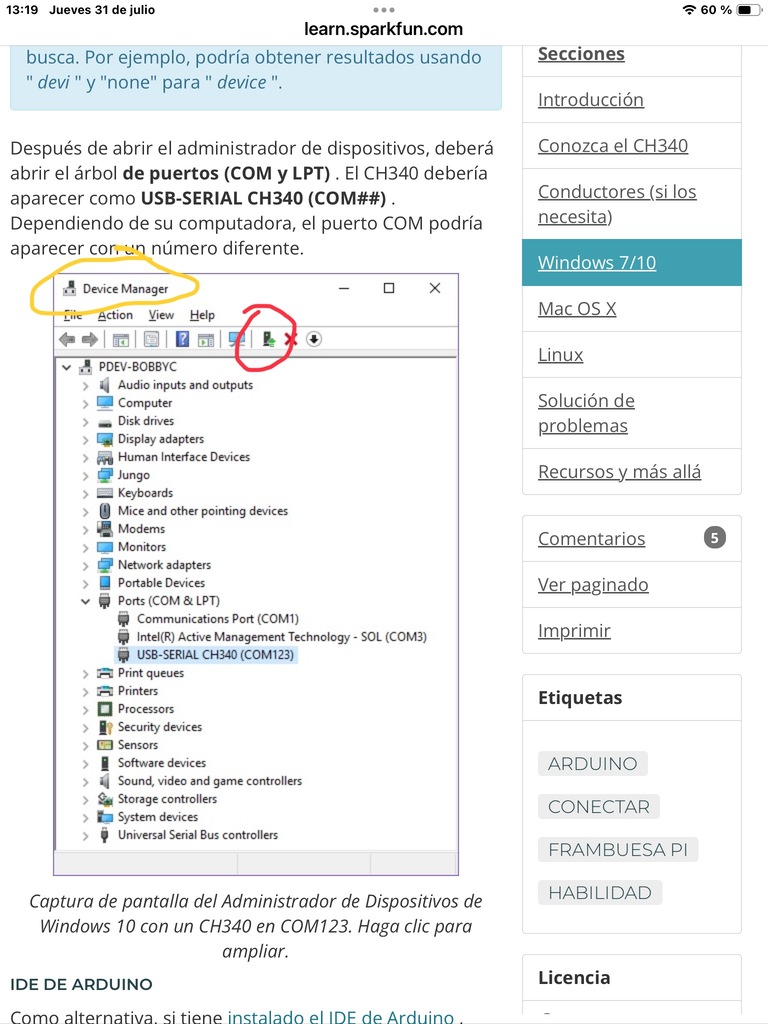
I don’t understand your answer, and I don’t understand how Arduino and Device manage are related to Windows. I’m only interested in macOS.
Fine, whatever you want.
I already knew you were only interested in Macs, and Jim and I left you several solutions, so you know what to do.
Regarding the last screenshot I sent you about Windows, I thought you’d be smart enough to try the same thing with Macs, since the screenshot says Mac right below Windows, but you chose to take the easy way out and disregard the help you’ve received (please apologize and read what’s sent to you next time).
With that, a hug: JaviR.
We tested it on macOS v15.6.
Indeed, v1.9 does not work.
But surprisingly, v1.8 works.
Please download the v1.8 version here
Dear friend, I salute you. I ask you to forgive me for not getting in touch for so long, I just got sick. I am very glad that you managed to run the driver on MacOs Sequoia. on your recommendation downloaded V 1.8. This version of the driver is easy to install, but still nothing works. Maybe because in the “System Report “/” Software “/” Disabled Software” hang all the drivers I install. Maybe it’s all about the Neje 5 controller? The thing is that I removed the controller to determine the driver chip, and found the jumper “nozzle” with “-” USB connector on “txt.” Removed, washed and the controller finally saw that Mac Os Sierra saw the Neje 5 controller. I would be grateful for any response.
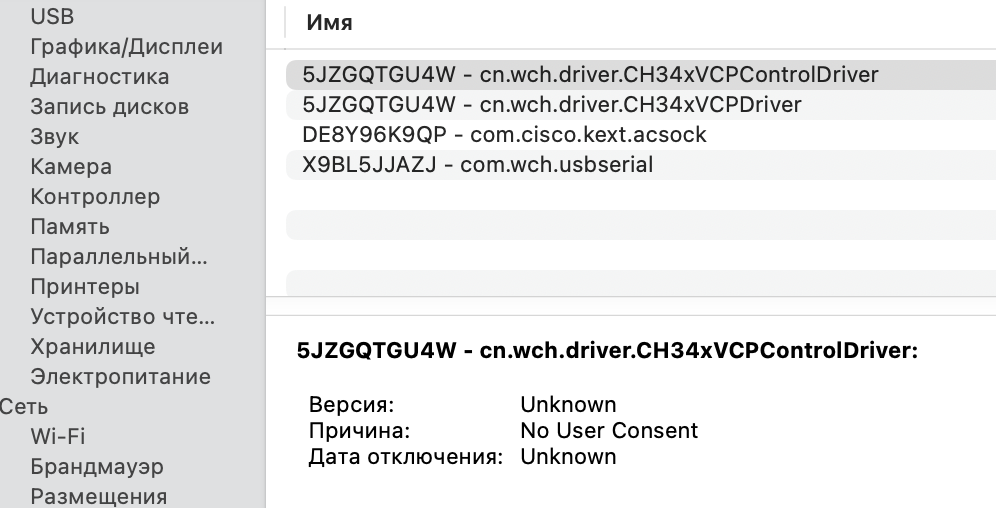
For NEJE 3 / 4 / 5 Series devices, There is no need install driver on macOS.
If you don’t need a driver, how can you make LightBurn see NEJE? Or which port should you choose in LightBurn?
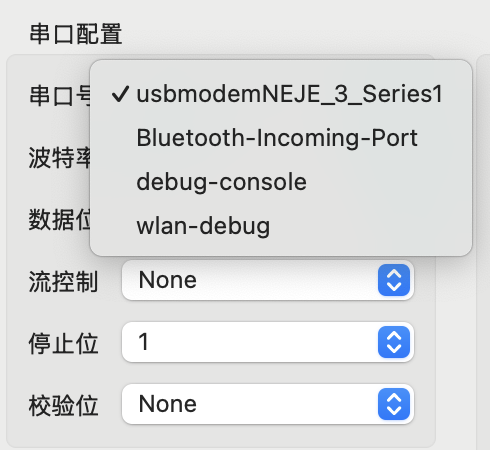
Where should the message “usbmodemNEJE_3_Series1” appear? I’m sorry, dear friend, but I don’t speak Chinese
Go to apple store search “WCH”, download this app:
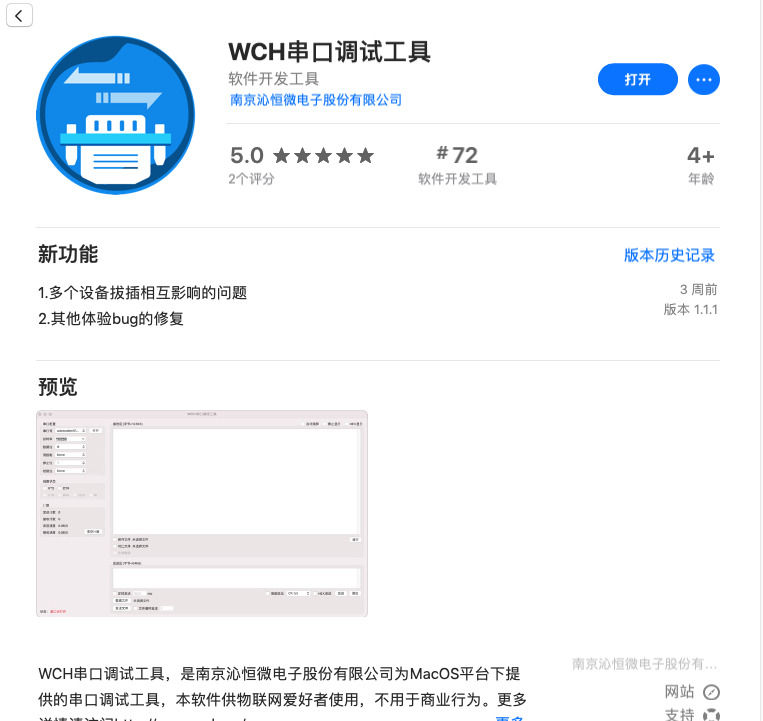
Run this app, Choose “串口号”, you will see: usbmodemNEJE_3_Series1
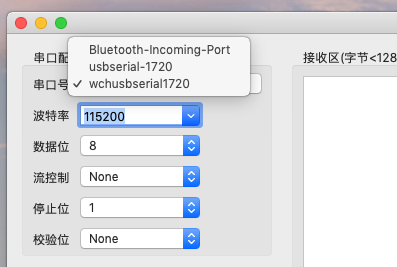
The port is not opening. Is there a problem with the control board?
You mean, usbmodemNEJE_3_Series1 won’t open, or usbmodemNEJE_3_Series1 doesn’t exist?
Can you provide this image?
About This Mac → System Report → USB
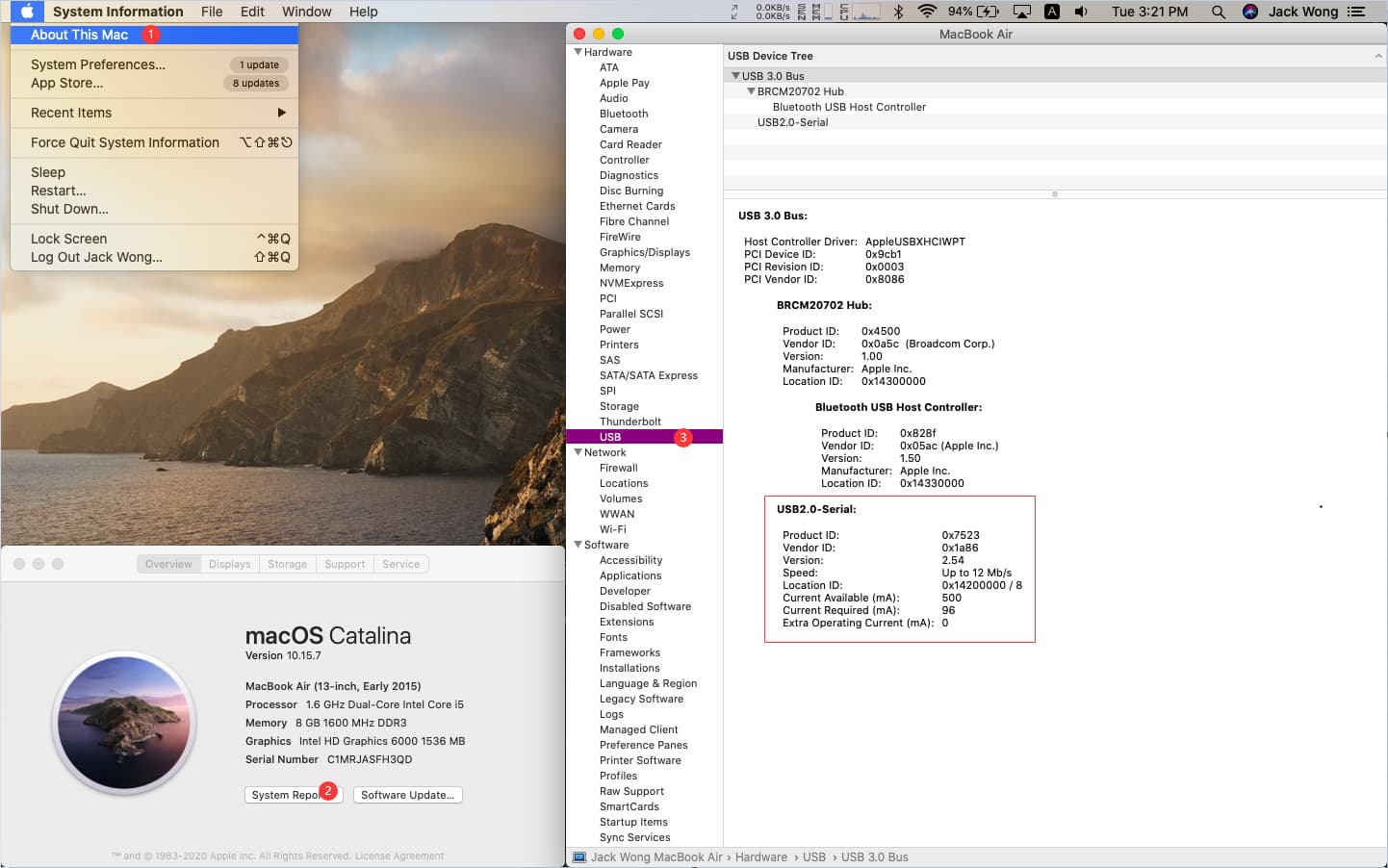
I have MacOs Sequoia installed on my MacBook, and I bought the machine from you NEJE MAX 4 E80, it has a control board NEJE5
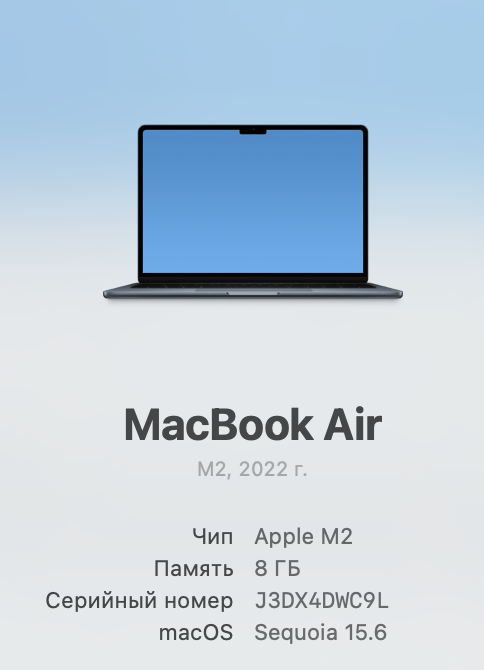
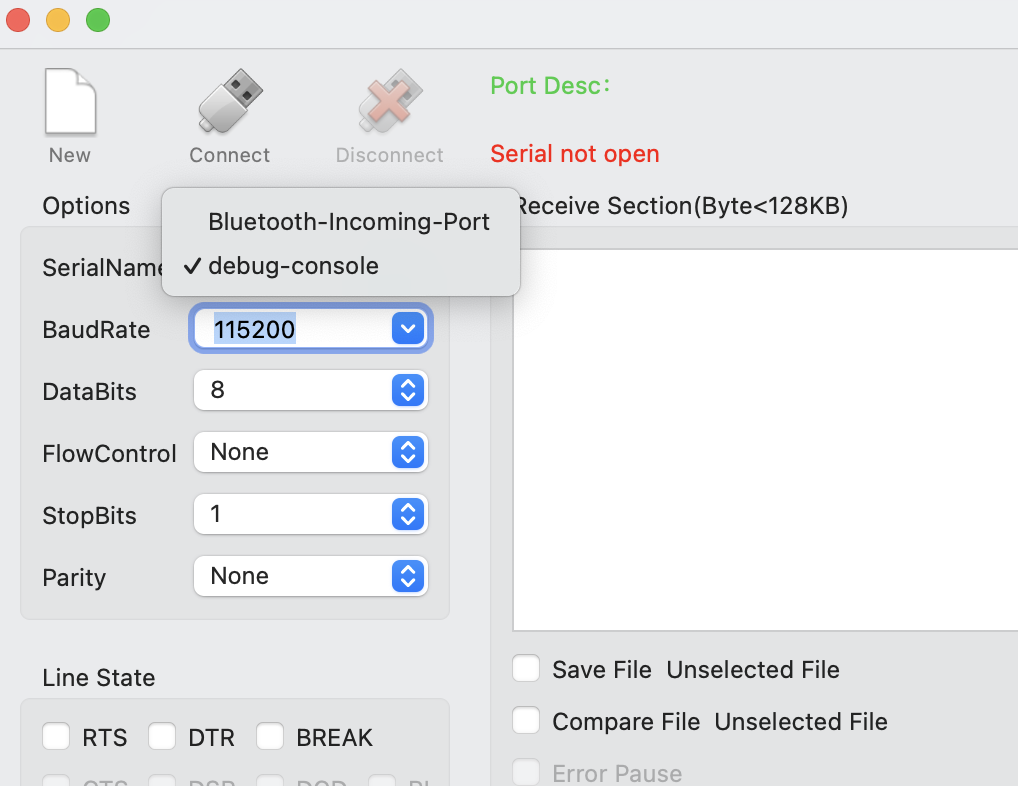
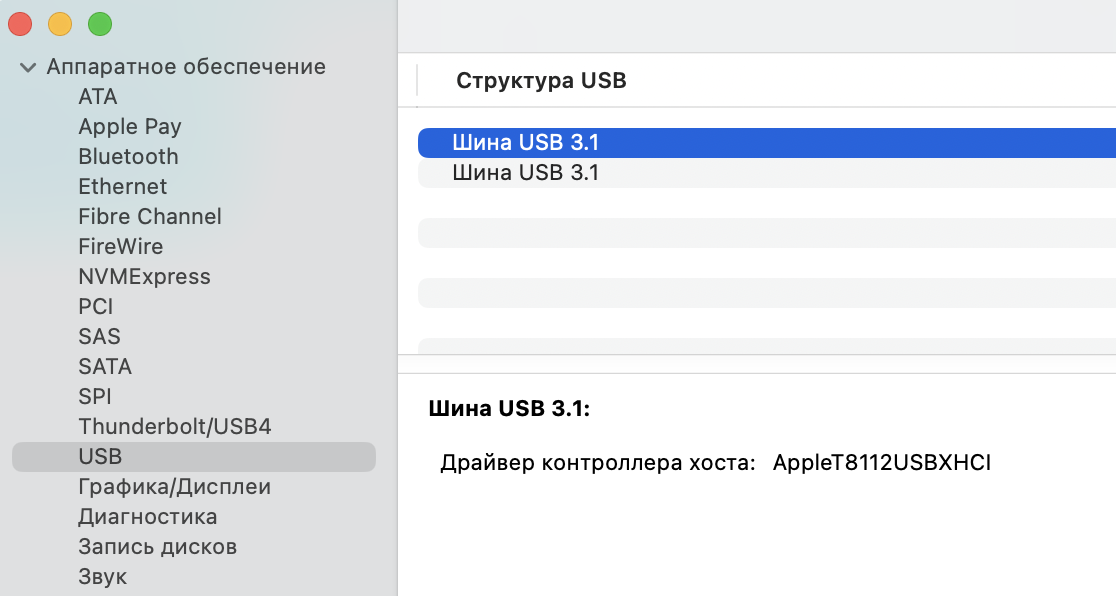
OK, it seems that there is a problem with your device linking to your computer, have you tried to replace a cable to try? (usually found on the printer)
Also, Is the green LED on your control board lit? If it lights up, the USB is normal, and if it doesn’t light up, the USB is not normal.
And does your control panel start normally?
Disabled all devices on the control board, and the port started working.
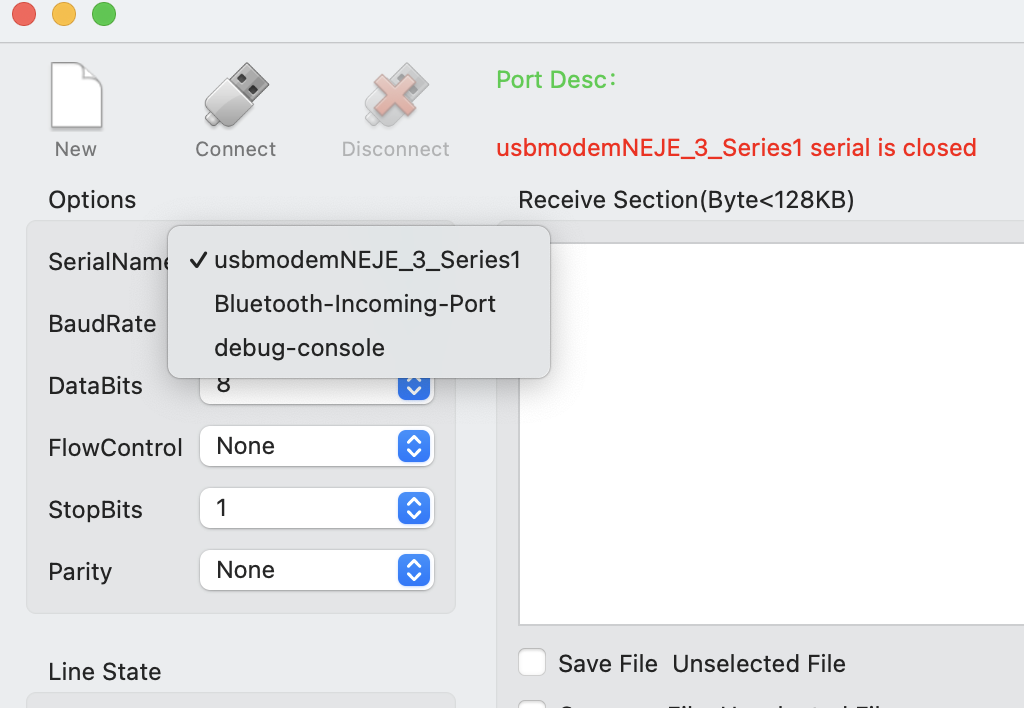
Green LED on. What to do next?
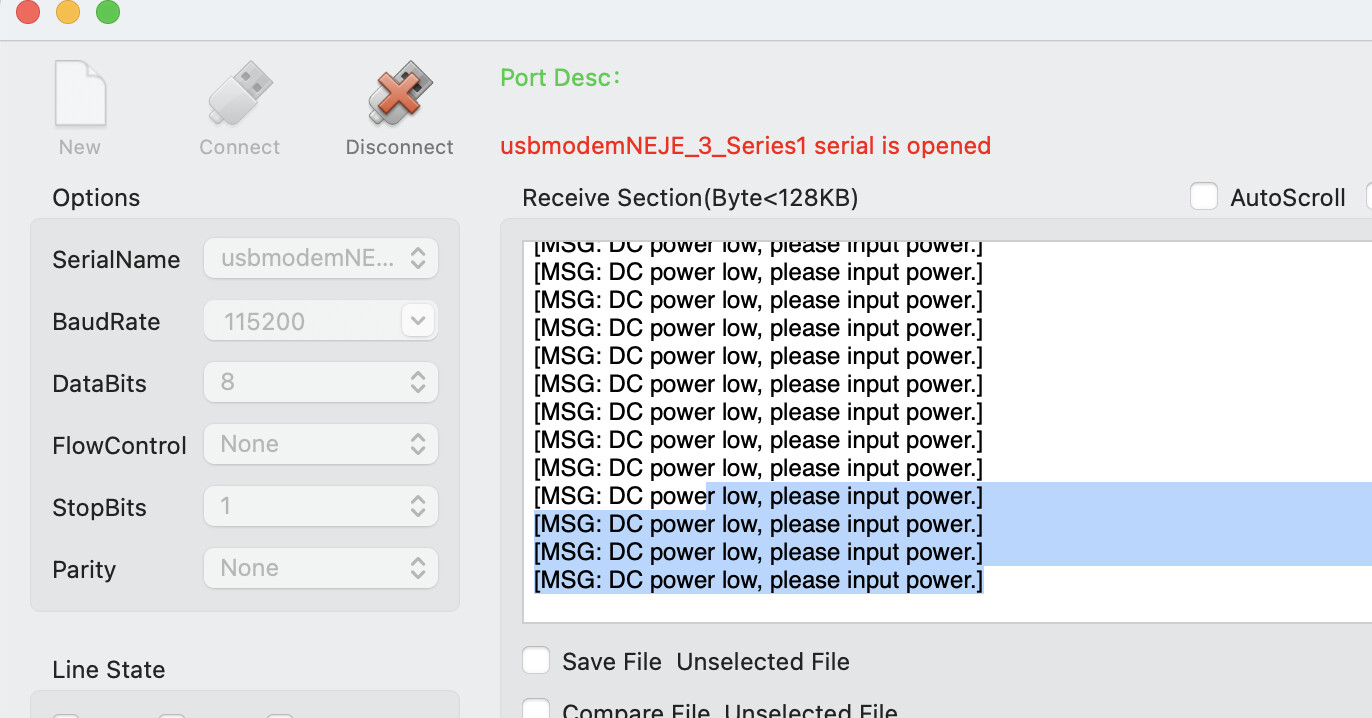
Now you can open the control software, your USB is OK,
May I also ask, what did you do to fix this?